

Let’s talk about your first line of digital defense. Your secret code should be hard to guess, not something a squirrel could figure out. Using “password123” or your pet’s birthday for important things is like using a piece of string to lock a bank vault.
This isn’t just about your email. Think about shared family devices like the tablet in the living room or the computer everyone uses. These devices often store saved passwords, which can be a big risk. Your password safety is like a secret handshake that proves you’re you.
So, what makes a password strong? It needs length, complexity, and a mix of letters, numbers, and symbols. It’s like the difference between a cardboard shield and a titanium wall. For tips on making these digital fortresses, check out this guide on creating and using strong passwords.
Password managers are like unsung heroes. They create and store super-secure codes so you don’t have to remember them. Using the same password everywhere is a big risk. You need unique passwords for every account for real password safety.
Using 2FA
Passwords are like bringing a knife to a gunfight in the world of cybersecurity. Two-factor authentication changes the game. It’s not just an upgrade; it’s a new way to prove who you are online.
Think of it like needing a key and a fingerprint scan to get into a vault. Your password is something you know. The second factor is something you have or something you are. This makes it much harder for hackers to get in.
Not all second factors are the same, though. There are three main types, each with its own balance of ease and safety.
| Method | How It Works | Security Level | Best For |
|---|---|---|---|
| SMS/Text Codes | A code sent to your registered phone number | Basic | General accounts where convenience trumps extreme security |
| Authenticator Apps | Time-based codes generated on your device (Google Authenticator, Authy) | High | Financial, email, and social media accounts |
| Biometrics | Your fingerprint, face, or retina as the key | Very High | Device logins and high-value app access |

I learned the hard way how important this is. A few years ago, I got a login alert from a city I’d never been to. My strong password wasn’t enough. But the two-factor prompt on my phone stopped them. They had the knowledge but not the physical token. It was a clear win for me.
This idea of adding a physical barrier is very powerful. Tools like Gamban, used in TalkBanStop, block gambling sites by controlling access at the device level. It’s like creating a barrier that exists outside your mind.
For your most sensitive accounts—like email, banking, or anything with a credit card on file—using just a password is not enough. Using an authenticator app is the best security upgrade you can make today. The FTC agrees, and so should anyone who wants to stay safe online.
Device Security
Your device security isn’t just about passwords and two-factor authentication. It’s about keeping your device safe from threats. If your device is vulnerable, you’re leaving your digital life exposed.
For families, this is a serious issue. Kids are often exposed to gambling content online. Parental controls are key to creating a safe space. They block not just gambling sites but also ads that make betting seem normal.
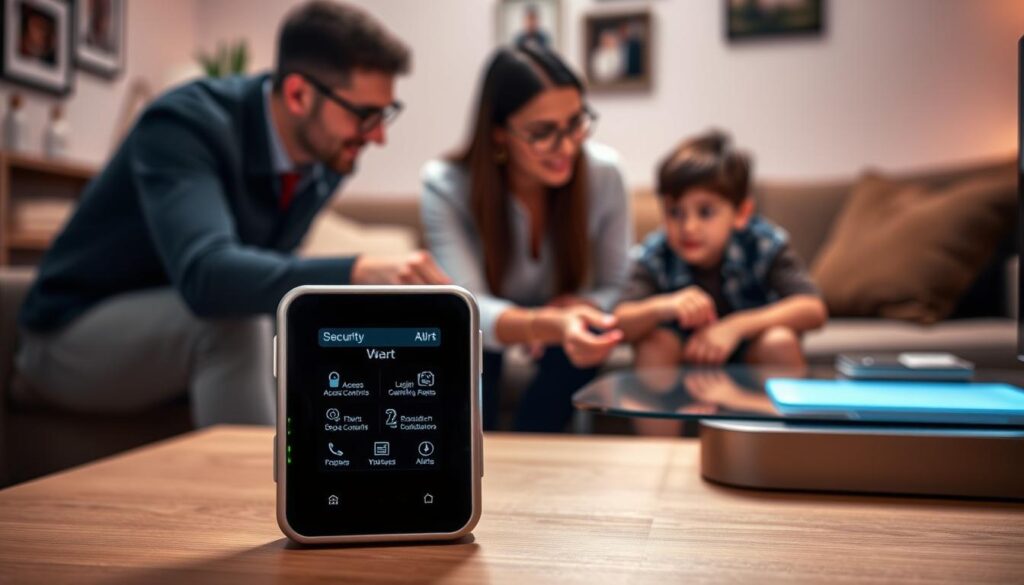
Today’s parental controls are advanced. They let you block app categories on family devices. Google’s guide on digital well-being features is a great resource. It’s the first step in protecting your digital world.
But we need to think bigger. Using third-party software to filter content at the router level is a smart move. It creates a digital shield around your Wi-Fi. This approach stops harmful content before it reaches your devices.
For individual users, device security is a daily task. Use strong passcodes and update software quickly. These actions protect you from hackers.
Public Wi-Fi is risky. Always assume it’s not secure. Use a VPN to stay safe. Being cautious is wise.
Here’s a clever idea from the finance world. Many banks offer tools to block gambling transactions. This approach not only guards your device but also stops money from flowing to gambling sites.
This all-encompassing strategy includes parental controls, network filtering, and transaction blocks. It’s a strong defense against online threats. Understanding your digital rights and privacy is essential in this fight.
Your device is a gateway to the internet. Protect it well.
Recovering a Hacked Account
So, your digital world has been breached. Maybe that squirrel got its espresso. The first rule of hack club? Don’t just stand there. Immediate action is your new hobby.
Your plan starts with the FTC’s guide on what to do if your online account is hacked. It’s your guide to getting back to your profile. Change all passwords. Check every connected device. This is like digital archaeology, finding out what the hacker did.
For a hacked gambling account, the stakes are high. It’s not just data; it’s money and emotions at risk. The Florida Council on Compulsive Gambling’s 888-ADMIT-IT HelpLine offers confidential help. And GAMSTOP’s self-exclusion is like a digital timeout to rebuild.
True recovery is more than just getting back in. It’s a detailed audit. It’s updating all your recovery info. It’s realizing your account’s strength depends on your weakest moment. You fix the hole and learn why it was there. You become not just secure, but wiser. The wise one isn’t born from never being hacked, but from knowing how to recover.
Leave a Reply